Can a Paper Shredder Shred Credit Cards and Staples?
Yes, a paper shredder can shred credit cards when its maker approves cards for that model. Check the manual for the card slot, material limits, and feed instructions before you choose or use a shredder.
On this page (10 sections)
- Can a paper shredder shred credit cards?
- Can you put staples in a paper shredder?
- How should you choose a shredder for credit cards?
- Which of these card-capable shredders fits your workload?
- What should you check before shredding a card or stapled page?
- How do you set up and care for a shredder that handles cards?
- What common mistakes should you avoid?
- Can you shred cardboard or other plastic?
- What if the manual doesn't mention the material?
- Which shredder should you choose for credit cards?
A paper shredder can shred credit cards when its maker approves cards for that model. To choose one, check the card slot, whether metal is excluded, and how long the shredder can run before it needs to cool.
The short answer to “can a paper shredder shred credit cards” is yes for some models, but card support is not universal. A shredder that handles cards may still have a dedicated slot or exclude metal cards.
Staples also depend on the model. Check its manual for each material you want to destroy, then match the shredder’s capacity and run time to how often you’ll use it.
Can a paper shredder shred credit cards?
Yes, some paper shredders can shred credit cards, but the maker must approve cards for that exact model. The manual may specify a separate slot, a one-card limit, or exclusions for metal cards.
A cut type alone does not tell you whether a shredder accepts cards. Check the manual and labels on the machine before feeding one.
If card support is absent or unclear, use another disposal method.
Can a paper shredder shred credit cards through its paper slot?
Use the feed method in the manual. A dedicated slot is a clear sign that cards should go there rather than through the paper opening.
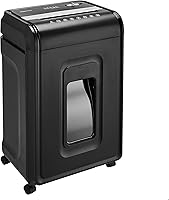
The Amazon Basics 18-Sheet Cross-Cut Shredder destroys one credit card at a time through a dedicated slot. The Amazon Basics 8-Sheet Micro-Cut Shredder also accepts one card at a time, but it isn't suitable for metal credit cards.
This slot guidance applies to the 18-sheet Amazon Basics model. Other shredders may have different feed instructions, so don't copy one model’s method for another.
Can a shredder destroy a metal credit card?
Only use a shredder for a metal card if its maker specifically approves that material. “Credit cards” may mean ordinary plastic cards and does not automatically include metal ones.
The Amazon Basics 8-Sheet Micro-Cut Shredder excludes metal credit cards. If your card is metal, or you can't tell what it is made of, check the model instructions before feeding it.
For a focused comparison of card-capable machines, see paper shredders that also shred credit cards. That guide helps narrow the choice to models whose makers list card shredding.
Can you put staples in a paper shredder?
Some shredders can handle stapled pages, but you should confirm that feature in the manual. Follow the stated sheet limit and feed instructions, and remove staples if support is unclear.
The Bonsaii 12-Sheet Micro-Cut Shredder accepts staples, and the Amazon Basics 18-Sheet Cross-Cut Shredder handles stapled paper without requiring staple removal. These are model-specific capabilities, not a rule for every shredder.
Avoid feeding loose metal items unless the manual specifically allows them. If a staple is bent or unusually large, removing it is a sensible way to keep the page feed simple.
How should you choose a shredder for credit cards?
Choose by card compatibility first, then by security, volume, and available space. The best fit depends on whether you destroy cards occasionally or need a machine for frequent office batches.
For occasional card disposal at home, a model with clear card instructions and a manageable footprint is usually enough. The Amazon Basics 8-Sheet Micro-Cut Shredder has a 4-gallon pull-out bin and is a fit for light paper volume, but its 5-minute run time followed by a 30-minute cool-down makes it a poor choice for long shredding sessions.
For mixed paper and card work, compare the number of sheets the machine accepts with your typical batch. The Amazon Basics 18-Sheet model handles up to 18 sheets at a time and runs for 30 minutes, followed by a 10-minute rest; it suits a busier home office that values throughput and a dedicated card slot.
If you want smaller paper particles, compare micro-cut and cross-cut options in what a cross-cut shredder is. Cut type helps with paper security, but it doesn't replace checking card compatibility and feed directions.
Which of these card-capable shredders fits your workload?
Pick a model whose material support and run cycle match your actual routine. A higher sheet limit or longer run time matters only if you regularly have enough work to use it.
The Aurora AU1210MA accepts credit cards and small paper clips, has a 5-gallon pull-out bin, and is rated for a 60-minute continuous run. It suits a small office that shreds in longer sessions and wants micro-cut paper output; skip it if you only need a compact machine for occasional documents.
The Bonsaii 12-Sheet Micro-Cut Shredder is a practical fit for a home office that wants cards, staples, and paper handled in one machine. Its stated 20-minute run time, 4.2-gallon bin, and casters support regular use, while buyers who need a longer continuous session should compare the Aurora’s run cycle.
The two Amazon Basics models serve different routines. Choose the 18-sheet cross-cut model for larger batches and a dedicated card slot, or the 8-sheet micro-cut model for smaller batches and P-4 paper security, provided you don’t need to shred metal cards.
What should you check before shredding a card or stapled page?
Check the accepted materials, feed direction, and capacity before switching the shredder on. Those three details cover the most common avoidable mistakes.
Look for instructions that answer these questions:
- Does this model accept credit cards, staples, or both?
- Does a card go through the paper opening or a separate slot?
- Are metal cards excluded?
- How many sheets or cards can you feed at once?
- Does the shredder need a cool-down after a set run time?
Aurora says the AU1210MA can destroy credit cards and small paper clips. Its stated product details don't confirm staple support, so check the manual before feeding stapled pages.
For an operation refresher, read how to use a paper shredder. It covers safe feeding habits that apply to routine paper shredding as well.
How do you set up and care for a shredder that handles cards?
Place the shredder on a stable, accessible surface and follow its manual before the first use. Keep the bin seated, make sure the power controls are clear, and leave room to remove the bin without moving the machine.
Feed only the approved material and stay within the sheet limit. For a card, use the specified slot and one-card limit if the manual gives one; don't combine a card with a paper stack unless the instructions allow it.
Watch for overheat, overload, bin-full, or door-open indicators where your model has them. Stop when an indicator calls for it, empty the bin as needed, and let the machine cool according to its run cycle.
Keep aerosols away from the Amazon Basics 8-Sheet Micro-Cut Shredder, which specifically warns against aerosol products in or around the machine. For routine cleaning and maintenance, follow how to clean a paper shredder, and use the manual’s jam-clearing steps instead of pulling or forcing material through the cutters.
What common mistakes should you avoid?
The main mistakes are assuming every shredder accepts cards, using the wrong slot, and ignoring the run limit. Each can turn a simple disposal job into a jam or an interrupted session.
Don't assume that approval for plastic credit cards also covers metal cards, CDs, staples, cardboard, or general plastic. Check each material by name, since the approved list can differ from model to model.
Don't push a card into a paper slot when the manual specifies a dedicated one. Likewise, don't exceed the sheet capacity or keep running a machine after its listed cycle; automatic shutoff is a protection feature, not an invitation to restart immediately.
Can you shred cardboard or other plastic?
Shred cardboard or plastic only when your exact model’s maker allows it. Card and staple support does not mean a shredder can handle these other materials.
Don't feed a small piece just to see what happens. An unapproved material can jam or damage the shredder, and these four models' stated details do not confirm support for cardboard or general plastic.
Check the manual for the exact material name and instructions. If it doesn't clearly allow the item, use another disposal or recycling option that fits your local rules.
What if the manual doesn't mention the material?
Leave the item out until you confirm it is allowed. Contact the manufacturer with the model number if the instructions don't answer your question.
A shredder's ability to handle one non-paper item doesn't guarantee it can take another. For example, a model that accepts CDs may still have no stated support for other types of plastic.
If the machine jams, follow its jam-clearing steps rather than forcing the item through. A guide to paper shredder run time and cool-down can also help you match a machine’s duty cycle to the size of your usual batches.
Which shredder should you choose for credit cards?
Choose the Amazon Basics 18-Sheet Cross-Cut Shredder for larger batches and a dedicated card slot, the Aurora for long sessions, or the Bonsaii for a home office that also needs staple support. Pick the Amazon Basics 8-Sheet Micro-Cut model for occasional cards and P-4 paper output, but keep metal cards out of it.
If none of those routines fits, start with the paper shredder buying guide and compare capacity, cut type, and run time. For the question “can a paper shredder shred credit cards,” the dependable decision rule is simple: choose only a model that names cards as an accepted material, then follow its slot and card-type instructions exactly.
Frequently asked questions
Can a paper shredder shred credit cards?
Yes, some paper shredders can shred credit cards, but only when the maker approves cards for that model. Check whether a card goes through the paper slot or a separate slot, and follow any limits on card type or feed method.
Don't assume a shredder accepts metal cards.
Can you put staples in a paper shredder?
Some shredders are designed to handle staples in paper, while others may require you to remove them first. Follow the manual for your exact model, including its sheet limit.
If the manual doesn't clearly allow staples, remove them before shredding.
Can a paper shredder shred cardboard?
Only use a paper shredder for cardboard if its maker specifically allows it. Cardboard can be thicker than ordinary paper and may exceed the shredder's capacity.
Check the manual for material and feed limits, and don't push cardboard into a machine that isn't made for it.
Can a shredder destroy a metal credit card?
Not every card-capable shredder accepts metal credit cards. Check the exact model's instructions before shredding one, and use another disposal method if metal cards aren't approved.
For a card with a chip or account details, follow the issuer's guidance for closing or replacing it.