How to Use a Paper Shredder the Right Way
To learn how to use a paper shredder, choose one that fits your workload, set it up on a stable surface, and feed only approved materials within its sheet limit. Keep hands clear, stop at warning signals, and follow the manual for jams, cool-downs, and care.
On this page (8 sections)
- How do you choose a paper shredder for your workload?
- How do you set up a paper shredder safely?
- How many sheets should you feed at once?
- What should you do if a shredder jams?
- When should you let a shredder cool down?
- How do you empty and care for a paper shredder?
- What common paper shredder mistakes should you avoid?
- Which shredder should you choose for your job?
To learn how to use a paper shredder, choose a model that fits your workload, set it up on a stable surface, and feed only approved materials within its sheet limit. Keep hands clear of the slot, stop when the machine signals a problem, and follow its manual for jams, cool-downs, and care.
A shredder is easier to use well when its capacity and features match the papers you handle. Before buying or switching it on, check what it can shred, how long it can run, and where it will fit.
How do you choose a paper shredder for your workload?
Choose by how much paper you need to shred, what materials you handle, and how long a job takes. A small personal workload may not need the same run time or capacity as a busy home office.
For occasional household paperwork, consider whether a compact model with a pull-out bin fits your space and routine. The Fellowes Powershred 12-Sheet Cross-Cut Shredder accepts up to 12 sheets per pass and can shred paper, staples, paper clips, credit cards, and unopened junk mail.
It suits a desk-side user who wants those material options and a safety lock; skip it if your regular jobs need a longer stated run time.
For larger batches, the Bonsaii 15-Sheet Cross-Cut 40-Minute Shredder offers a higher sheet limit and a longer stated continuous run time. Its overload and overheating indicators, auto start, stop, and reverse functions, and rolling casters suit a home office handling recurring jobs; skip it if you only shred a few pages now and then and don't need that capacity.
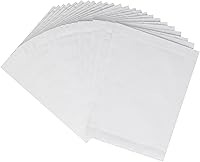
Lubricating sheets are a care supply, not a replacement for a shredder. The Amazon Basics Shredder Lubricating Sheets come in a 24-pack and feed through the slot, so they suit owners whose manuals allow that care method; skip them if your shredder calls for a different lubricant or schedule.
For more help comparing cut types and security levels, read our paper shredder buying guide. If your main concern is running a machine through a long batch, our guide to paper shredder run time and cool-down explains how to plan around those limits.
How do you set up a paper shredder safely?
Set the shredder on a stable, dry surface with room to use and empty it. Keep the power cord and surrounding area clear so you can reach the controls without standing over the feed slot.
Before connecting power, check that the bin or shredder head is seated as the manual directs. Some models won't run if parts aren't fitted correctly, and forcing a misaligned bin can make operation harder to diagnose.
Read the manual for the control positions, accepted materials, sheet limit, run time, and jam procedure. If the shredder has a safety lock, learn how to use it before leaving the machine unattended or allowing children near it.
Keep hands, hair, clothing, jewelry, and loose items away from the slot. Don't reach inside the feed opening even when the shredder is switched off.
How to use a paper shredder for paper, staples, and cards
Feed only materials the manual specifically permits. One model's ability to handle staples or cards doesn't make those items safe for every shredder.
The Fellowes model accepts staples, paper clips, credit cards, and unopened junk mail. Check your own manual before feeding any of those items, and review our guide to whether a paper shredder can shred credit cards and staples if you need to confirm what to look for.
How many sheets should you feed at once?
Follow the shredder's stated sheet limit, and don't force a thick or uneven stack into the slot. Paper thickness, folds, and attached items can affect how easily pages feed.
Align the pages and insert them evenly. Let the batch clear before adding more, and reduce the stack if the machine slows, reverses, or signals an overload.
The Fellowes handles up to 12 sheets per pass. The Bonsaii handles up to 15, but those limits are model-specific and aren't a reason to push paper into a slot that resists it.
What should you do if a shredder jams?
Stop feeding paper and follow the manual's jam-clearing steps. Use powered reverse only as directed, and unplug the shredder before any manual clearing.
Keep fingers and tools away from the cutters. Don't yank hard on trapped paper or reach past a guard; if the jam remains or the machine behaves unusually, contact the maker for help.
The Bonsaii has auto start, stop, and reverse functions, along with overload and overheating indicators. These features can help you respond to a feeding problem, but the manual still determines the safe steps for that model.
When should you let a shredder cool down?
Stop when the shredder reaches its stated run-time limit or signals that it is overheating. Follow the manual's instructions before starting another job.
Don't keep restarting a hot machine or treat its maximum run time as the amount every job should take. The Fellowes can run continuously for up to 20 minutes before a cool-down period; Bonsaii says its model can run continuously for up to 40 minutes, with a 40-minute cool-down after an overheating shutdown.
Plan large jobs in batches if the machine needs a break. For more detail, see paper shredder run time and cool-down.
How do you empty and care for a paper shredder?
Empty the bin before shredded paper piles up near the cutters, and maintain the machine as its manual directs. A bin that's too full can make waste back up and interfere with feeding.
Switch off and unplug the shredder before removing its bin or head. Clear loose debris from accessible surfaces without putting your fingers near the cutters, and seat the parts correctly before using the machine again.
Lubrication helps reduce buildup and can support smooth feeding when done on the schedule and by the method the manual recommends. The Amazon Basics sheets are made with vegetable oil and recycled paper; feed one through the slot only if your shredder's care instructions allow lubricating sheets.
See our step-by-step guide to cleaning a paper shredder for bin and exterior care. If you are considering blade care, read when to sharpen a paper shredder before trying a method that could damage the cutters.
What common paper shredder mistakes should you avoid?
The most common mistakes are overloading the slot, feeding unapproved materials, ignoring warning signals, and clearing a jam while the machine is plugged in. Each can turn a routine job into a feeding problem or a safety risk.
Don't assume that a shredder's sheet maximum applies to folded pages or thick stacks. Don't leave scraps, ties, or loose items near the feed opening, and don't keep operating a machine that has stopped or begun signaling an overload.
Avoid reaching into the slot to pull out a jam. Switch off and unplug before any manual clearing, then use only the steps in the manual.
Don't wait until the bin is packed to empty it, and don't use oil or cleaning products without checking the care instructions. A method that suits one shredder may not suit another.
Which shredder should you choose for your job?
Choose the Fellowes if a 12-sheet limit, accepted staples and cards, safety lock, and 5-gallon pull-out bin fit your personal desk-side needs. Its stated continuous run time is up to 20 minutes, so it is a sensible match for smaller jobs completed in one sitting.
Choose the Bonsaii if you regularly process bigger batches and want up to 15 sheets per pass, a stated 40-minute continuous run time, and casters for moving it. Its longer run time is useful for sustained work, but occasional shredding may not call for that capacity.
Choose Amazon Basics lubricating sheets only as a care option when your shredder's manual allows them. If your manual calls for another method, follow that instead.
The safest way to use a paper shredder is to match the machine to your workload, feed approved materials within its limit, and stop when it signals a problem. Pick the Fellowes for personal desk-side jobs and its stated material options, consider the Bonsaii for longer batches, and use lubricating sheets only when allowed by your manual.
For a broader model comparison before you buy, start with our paper shredder buying guide.
Frequently asked questions
How many sheets should I put in a paper shredder?
Use the sheet limit in your shredder's manual, and start below that limit if you aren't sure how thick the paper is. A maximum applies under the conditions its maker describes.
Don't force a packed stack through the slot or feed another batch while the previous one is processing.
Should I remove staples before shredding?
Remove staples unless your shredder's manual says it accepts them, and check separately before feeding paper clips, cards, or mail. Some machines accept certain extras, while others are designed for paper only.
A feature on one model doesn't mean another model can handle the same material.
What should I do if a paper shredder jams?
Stop feeding paper and follow the manual's jam-clearing steps, using powered reverse only as directed and unplugging before any manual clearing. Keep fingers and tools out of the cutters, don't pull hard on trapped paper, and contact the maker if the jam remains or the machine behaves unusually.
How often should I oil a paper shredder?
Follow the shredder manual's lubrication schedule and use a method approved for that model. Some makers recommend shredder oil, while lubricating sheets offer a mess-free option for compatible machines.
Don't assume every lubricant or cleaning method suits every shredder; check before using a new care product.