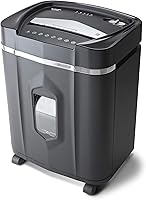
10 Best Small Office Paper Shredders for Daily Use (October 2026)
The best small office paper shredders include the Fellowes Powershred 99Ci 18-Sheet Jam-Proof Shredder for shared daily batches, the Bonsaii 200-Sheet Auto-Feed Micro-Cut Shredder for hands-free bulk jobs, and the Bonsaii 18-Sheet Cross-Cut 60-Minute Shredder for long manual sessions.
On this page (7 sections)
- How we chose small office paper shredders
- The best paper shredders for small offices
- How should a small office choose between auto-feed and manual feed?
- Does run time matter for a small office shredder?
- What cut type should an office choose?
- How much room does a small office paper shredder need?
- Which small office paper shredder should you buy?
The best paper shredder for a small office depends on how your team handles paperwork. Choose the Fellowes Powershred 99Ci for regular manual batches, or an auto-feed model when several people need to clear stacks without feeding each sheet.
For many small businesses, the practical choice comes down to the daily paper pile, available floor space and whether someone can feed documents by hand. The picks below range from 100-sheet to 300-sheet auto-feed trays, plus manual models with up to 20 sheets per pass.
Our paper shredder buying guide explains cut types, security levels and features to compare. If this is for a home-based business, see how to choose a paper shredder for a home office.
Our picks at a glance
-
1
 Best for shared daily batches
Fellowes Powershred 99Ci 18-Sheet Jam-Proof Shredder
8.6/10 our score
See it on Amazon -
2
 Best for hands-free bulk jobs
Bonsaii 200-Sheet Auto-Feed Micro-Cut Shredder
8.2/10 our score
See it on Amazon -
3
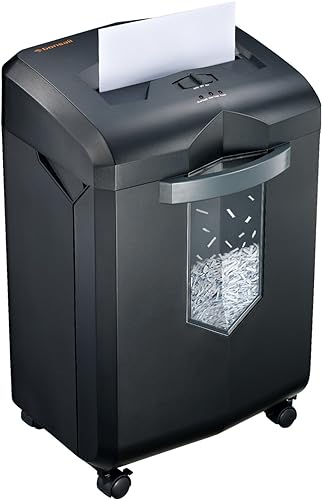 Best for long manual sessions
Bonsaii 18-Sheet Cross-Cut 60-Minute Shredder
8.1/10 our score
See it on Amazon
- 4
 Check it
Fellowes AutoMax 100MA 100-Sheet Auto-Feed Shredder
Best for compact auto-feed - 5
 Check it
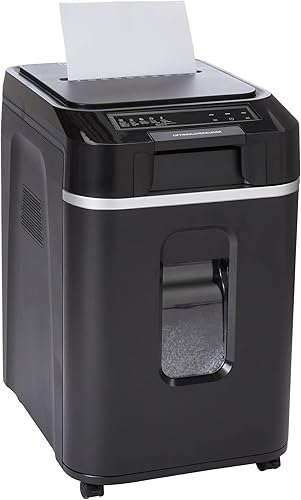
Amazon Basics 200-Sheet Auto-Feed Cross-Cut Shredder
Best for large paper stacks - 6
 Check it
Bonsen 20-Sheet Cross-Cut P-4 Shredder
Best for high-capacity manual feed - 7
 Check it
Staples 150-Sheet Auto-Feed Micro-Cut Shredder
Best for mid-size auto-feed stacks - 8
 Check it
Bonsen 16-Sheet 60-Minute Cross-Cut Shredder
Best for mobile manual shredding - 9
 Check it
Bonsen 300-Sheet Auto-Feed Micro-Cut Shredder
Best for the largest unattended batches - 10
 Check it
Aurora 200-Sheet P-5 Auto-Feed Micro-Cut Shredder
Best for finer-cut auto-feed
How we chose small office paper shredders
We compared stated feed capacities, cut type, security level, run time, bin size and features that matter during routine office use. Our score weighs specs, features and buyer feedback against what you're shopping for.
Auto-feed capacity can save hand-feeding time, but it doesn't tell the whole story. Check the manual-feed capacity too if employees will shred smaller jobs, and confirm which items are allowed in each opening.
Run time also varies by feed mode. Our guide to paper shredder run time and cool-down explains why a machine's stated auto-feed limit may differ from its manual-feed limit.
| Product | Best for | Feed style | Cut and security | Run time | Our score |
|---|---|---|---|---|---|
| Fellowes Powershred 99Ci 18-Sheet Jam-Proof Shredder | shared daily batches | Manual, up to 18 sheets | Cross-cut, P-4 | Up to 30 minutes | 8.6 |
| Bonsaii 200-Sheet Auto-Feed Micro-Cut Shredder | hands-free bulk jobs | 200-sheet auto-feed or 12-sheet manual | Micro-cut, P-4 | Up to 60 minutes auto-feed; 30 minutes manual | 8.2 |
| Bonsaii 18-Sheet Cross-Cut 60-Minute Shredder | long manual sessions | Manual, up to 18 sheets | Cross-cut, P-4 | Up to 60 minutes | 8.1 |
| Fellowes AutoMax 100MA 100-Sheet Auto-Feed Shredder | compact auto-feed | 100-sheet auto-feed or manual feed | Micro-cut, P-4 | Up to 10 minutes auto-feed; 7 minutes manual | 7.8 |
| Amazon Basics 200-Sheet Auto-Feed Cross-Cut Shredder | large paper stacks | 200-sheet auto-feed or 10-sheet manual | Cross-cut, P-4 | Up to 60 minutes auto-feed | 7.8 |
| Bonsen 20-Sheet Cross-Cut P-4 Shredder | high-capacity manual feed | Manual, up to 20 sheets | Cross-cut, P-4 | 7.6 | |
| Staples 150-Sheet Auto-Feed Micro-Cut Shredder | mid-size auto-feed stacks | 150-sheet auto-feed | Micro-cut, P-4 | 7.5 | |
| Bonsen 16-Sheet 60-Minute Cross-Cut Shredder | mobile manual shredding | Manual, up to 16 sheets | Cross-cut, P-4 | Up to 60 minutes | 7.4 |
| Bonsen 300-Sheet Auto-Feed Micro-Cut Shredder | the largest unattended batches | 300-sheet auto-feed or 12-sheet manual | Micro-cut, P-4 | Up to 60 minutes auto-feed | 7.2 |
| Aurora 200-Sheet P-5 Auto-Feed Micro-Cut Shredder | finer-cut auto-feed | 200-sheet auto-feed or 10-sheet manual | Micro-cut, P-5 | Up to 60 minutes | 7.0 |
The best paper shredders for small offices
The Fellowes 99Ci is the strongest fit for routine hand-fed batches, while auto-feed picks suit offices that process stacks at a time. Each model has a different balance of feed capacity, cut type, run time and bin size.
Fellowes Powershred 99Ci 18-Sheet Jam-Proof Shredder: Best for shared daily batches
- 18 sheets per pass
- Up to 30 minutes of run time
- P-4 cross-cut
- 9-gallon pull-out bin
A high-capacity manual-feed choice for a shared office that shreds documents in batches. The pull-out 9-gallon bin and LED bin-full indicator help manage frequent use.
Pros
- Up to 18 sheets per pass
- Up to 30 minutes of run time
- 9-gallon bin
Cons
- Manual feeding for each batch
- Larger unit at 36.4 lb
The 99Ci handles up to 18 sheets per pass and runs for up to 30 minutes before cooling down. Its P-4 cross-cut output and 9-gallon pull-out bin suit a shared workspace with regular batches.
Fellowes says SafeSense disables the shredder when hands or paws touch the opening. The model also has an LED bin-full indicator, and Fellowes describes its operation as ultra-quiet.
Fellowes says the shredder can handle staples, credit cards, paper clips, CDs/DVDs and junk mail. Check the manual for how to feed those items and whether any limits apply.
Pick it for shared daily batches where someone can feed documents as they come in. If your office more often has a stack ready at once, compare the auto-feed picks below.
Bonsaii 200-Sheet Auto-Feed Micro-Cut Shredder: Best for hands-free bulk jobs
- 200-sheet auto-feed tray
- Up to 60 minutes in auto-feed mode
- P-4 micro-cut
- 8.1-gallon bin
The auto-feed tray handles a stack of letter-size paper while you work on something else. Manual feed supports smaller paper jobs and specified items such as staples and credit cards.
Pros
- Large auto-feed capacity
- Micro-cut P-4
- Wheels on the pull-out bin
Cons
- Large 8.1-gallon-bin unit
- Auto-feed is specified for letter-size paper
The Bonsaii 200-sheet auto-feed model suits a small office that accumulates paperwork between shredding sessions. Its tray handles up to 200 sheets of letter-size paper, and Bonsaii gives a run time of up to 60 minutes in auto-feed mode.
The separate manual slot accepts up to 12 sheets at a time and has a 30-minute run-time limit. Bonsaii specifies manual feed for credit cards, staples and paper clips, so don't assume the auto-feed tray accepts those items.
Its 8.1-gallon pull-out basket has wheels and holds roughly 700 sheets. A sleep mode activates after 10 minutes of inactivity, and Bonsaii states a noise level of 58 dB.
Choose it when your team prefers loading a stack over feeding each batch by hand. Its bin dimensions call for a planned spot with room to pull the basket out.
Bonsaii 18-Sheet Cross-Cut 60-Minute Shredder: Best for long manual sessions
- 18 sheets per pass
- Up to 60 minutes continuous run time
- P-4 cross-cut
- 6-gallon pull-out bin
This manual-feed model combines an 18-sheet capacity with a stated 60-minute run time. Its 6-gallon bin has a clear window for checking how full it is.
Pros
- Up to 60 minutes of run time
- Up to 18 sheets per pass
- Casters for moving the unit
Cons
- Cross-cut rather than micro-cut
- Manual feeding for each batch
The Bonsaii 18-sheet model pairs a manual feed opening with a stated 60-minute run time. That combination can suit an office that shreds frequent batches but doesn't need an auto-feed tray.
It cuts paper into P-4 cross-cut particles and has a 6-gallon pull-out wastebasket with a clear window. Four casters help you move it around the room, and Bonsaii states a noise level of 62 dB.
Bonsaii says it can also shred credit cards and staples. The product description gives a 10-minute cool-down after a continuous run, so plan large jobs around that limit.
Choose this model when long manual sessions matter more than loading a stack unattended. If the bin will sit near desks, compare its stated noise level with other picks and consider our quiet paper shredder guide.
Fellowes AutoMax 100MA 100-Sheet Auto-Feed Shredder: Best for compact auto-feed
- 100-sheet auto-feed
- P-4 micro-cut
- Up to 10 minutes in auto-feed mode
- 4.5-gallon bin
A smaller auto-feed tray and 4.5-gallon bin suit an office that wants hands-free shredding without choosing a larger-bin model. It also has a manual feed opening.
Pros
- Auto-feed tray holds up to 100 sheets
- Micro-cut P-4
- Compact design with retractable tray
Cons
- Shorter run time than several picks
- Smaller bin than other auto-feed options
The Fellowes AutoMax 100MA offers a smaller auto-feed tray for offices that want hands-free shredding without a 200-sheet model. Fellowes says it can shred up to 100 sheets automatically in 5 minutes.
The machine also has a manual opening and a 4.5-gallon pull-out bin. Its P-4 micro-cut is specified for credit cards, paper clips and staples through the manual feed opening.
Run-time limits differ by mode: up to 10 minutes for auto feed and 7 minutes for manual feed. Fellowes describes an auto-reverse feature to help prevent misfeeds, while its retractable tray saves space when stored.
Choose the 100MA if your typical stack fits its tray and you have limited room for a larger bin. For longer jobs, compare its mode-specific run times with the other office picks.
Amazon Basics 200-Sheet Auto-Feed Cross-Cut Shredder: Best for large paper stacks
- 200-sheet auto-feed tray
- P-4 cross-cut
- Up to 60 minutes auto-feed run time
- 8.5-gallon pull-out bin
The large tray takes up to 200 sheets automatically, and the 8.5-gallon bin holds the resulting waste. Do not shred metallic credit cards with this model.
Pros
- Large auto-feed tray
- P-4 cross-cut
- LED status indicators
Cons
- Manual feed capacity is 10 sheets
- Do not shred metallic credit cards
Amazon Basics combines a 200-sheet auto-feed tray with an 8.5-gallon pull-out bin. It shreds paper into P-4 cross-cut pieces and also offers a manual slot for up to 10 sheets.
It runs for up to 60 minutes in auto-feed mode and 10 minutes in manual mode before a 45-minute cool-down. Its controls include forward and reverse, and the bin has LED indicators for status conditions.
Staples are allowed, but this model should not be used to shred metallic credit cards. Its dimensions are 18.35 x 14.02 x 22.83 in (L x W x H).
Pick it for a large paper stack and long stated auto-feed run time. If the team needs to shred cards, confirm that the specific card type is suitable or choose a model whose instructions allow it.
Bonsen 20-Sheet Cross-Cut P-4 Shredder: Best for high-capacity manual feed
- 20 sheets per pass
- P-4 cross-cut
- 6.6-gallon bin
- Casters
A high stated sheet capacity and 6.6-gallon bin suit batch feeding by hand. BONSEN says the shredder can run for more than 60 minutes continuously.
Pros
- Up to 20 sheets per pass
- P-4 cross-cut
- Casters and pull-out bin
Cons
- Manual feed only
- Heavy unit
The BONSEN 20-sheet shredder has the highest stated manual-feed capacity in this group. Its P-4 cross-cut output and 6.6-gallon bin make it a candidate for offices that feed larger batches by hand.
BONSEN describes continuous operation for more than 60 minutes and says the unit has an anti-jam system. Four casters are noted, along with a pull-out bin that holds 6.6 gallons.
BONSEN lists staples, paper clips and credit cards among supported items. Its instructions advise reducing the number of sheets when paper is damp, thick or includes plastic.
Choose this model if a high manual sheet limit matters more than auto feed. At 12.05 kg, it's a heavy machine, so decide where it will live before moving it into place.
Staples 150-Sheet Auto-Feed Micro-Cut Shredder: Best for mid-size auto-feed stacks
- 150-sheet auto-feed tray
- P-4 micro-cut
- 7.4-gallon pull-out bin
- Auto start/stop and reverse
The top-load tray and 7.4-gallon bin offer a middle option between smaller and 200-sheet auto-feed models. Its run time isn't specified.
Pros
- 150-sheet auto-feed tray
- Micro-cut P-4
- Auto reverse and overload protection
Cons
- Run time isn't specified
- Dimensions are wide
The Staples model uses a 150-sheet top-load tray and micro-cut P-4 output. Its 7.4-gallon bin is larger than the 100MA's, while its stated sheet capacity sits between the 100- and 200-sheet options.
Its run time isn't specified. Staples specifies credit cards, staples and small paper clips as supported media.
Auto start/stop, auto reverse and overload protection are among its stated features. At 25.19 in wide, it needs a space that allows the bin to pull out and gives access to the tray.
Choose this one when a 150-sheet tray is a better match for your office routine than a smaller or larger auto-feed stack. Consider the run-time detail when planning longer jobs.
Bonsen 16-Sheet 60-Minute Cross-Cut Shredder: Best for mobile manual shredding
- 16 sheets per pass
- Up to 60 minutes of run time
- P-4 cross-cut
- 5.3-gallon bin with casters
Casters make it easier to move this manual-feed shredder between nearby work areas. Its 5.3-gallon bin has a clear window.
Pros
- Up to 60 minutes of run time
- Casters for moving the shredder
- 5.3-gallon bin
Cons
- 16-sheet capacity is below the leading manual-feed picks
- Manual feeding for each batch
The BONSEN S3102 pairs a 16-sheet manual feed with a 60-minute stated run time. It has a 5.3-gallon bin with a transparent window and four casters for moving it between nearby desks.
Its output is P-4 cross-cut, and BONSEN lists CDs, junk mail, credit cards and staples among supported items. The brand also describes automatic start and reverse, plus overheating and overload protection.
BONSEN states a noise level of 60 dB. Use that figure for comparison, since noise can vary with the room and the job.
Choose it if you want a manual-feed shredder that can be moved around a small workspace. Its 16-sheet capacity is below the 18- and 20-sheet manual options above.
Bonsen 300-Sheet Auto-Feed Micro-Cut Shredder: Best for the largest unattended batches
- 300-sheet auto-feed tray
- P-4 micro-cut
- Up to 60 minutes in auto-feed mode
- 8.1-gallon bin
The largest auto-feed capacity here targets offices with frequent, high-volume paper stacks. Manual feed handles smaller jobs and specified items such as staples and credit cards.
Pros
- Largest auto-feed tray in this group
- Micro-cut P-4
- LED status indicators
Cons
- Large unit with an 8.1-gallon bin
- Auto-feed is specified for paper
The BONSEN 300-sheet model has the largest auto-feed tray in this roundup. Its micro-cut output is P-4, with a stated run time of up to 60 minutes in auto mode and 30 minutes in manual mode.
The manual opening handles up to 12 sheets and is specified for paper, credit cards, staples and clips. The 8.1-gallon bin has wheels, and BONSEN lists LED indicators for feed error, a full bin, an open door, overload and overheat.
This is a large-capacity choice for an office that often has a full stack ready to shred. Check the machine's dimensions and available floor space before choosing it for a compact room.
Aurora 200-Sheet P-5 Auto-Feed Micro-Cut Shredder: Best for finer-cut auto-feed
- 200-sheet auto-feed tray
- P-5 micro-cut
- Up to 60 minutes continuous run time
- 8.5-gallon pull-out bin
Aurora's P-5 micro-cut makes smaller pieces than the P-4 models here. The auto-feed tray holds a 200-sheet stack.
Pros
- P-5 micro-cut
- 200-sheet auto-feed tray
- 8.5-gallon pull-out bin
Cons
- Manual feed capacity is 10 sheets
- Large unit at 38.1 lb
Aurora's 200-sheet auto-feed shredder stands apart with P-5 micro-cut output. Aurora gives a particle size of 2 x 12 mm and says it handles up to 10 sheets through the manual opening.
The unit has a stated 60-minute continuous run time and an 8.5-gallon pull-out bin. Its status lights cover standby, overheat, bin full, overload and an open door, while auto-reverse is intended to clear jams.
Choose the Aurora when the smaller stated P-5 particles matter more than matching the P-4 picks. At 38.1 lb, it's a heavy unit, so choose a permanent place for it.
How should a small office choose between auto-feed and manual feed?
Choose auto feed when you regularly have paper stacks to process and can load the tray within its stated limits. Choose manual feed when jobs arrive in small batches or you want the higher per-pass capacity of a manual model.
The 100MA tray holds 100 sheets, the Staples tray 150, and several models handle 200. The BONSEN tray holds 300 sheets, but a larger tray also means a bigger machine and a larger stack to prepare.
Manual-feed limits vary from 10 to 20 sheets among these picks. If employees shred in short bursts throughout the day, a manual model may be easier to fit into the routine than waiting to collect a full tray.
Does run time matter for a small office shredder?
Run time matters when several people share a shredder or when a routine job takes more than a few minutes. Compare the limit for the feed mode you plan to use, then follow the model's cool-down instructions.
The picks here range from 7 minutes of manual operation on the Fellowes 100MA to up to 60 minutes in certain auto-feed modes. The 99Ci states up to 30 minutes, while the Bonsaii 18-sheet cross-cut states up to 60 minutes.
Those figures describe different models and modes, so they aren't direct measures of shredding speed. Our guide to shredder run time and cool-down periods covers how to plan a longer job.
What cut type should an office choose?
P-4 cross-cut or micro-cut suits many offices handling routine confidential paperwork, while the Aurora's P-5 rating provides a finer stated cut. Choose based on your office's document rules and disposal needs.
Several models here are P-4, including the 99Ci and the 100MA and Bonsaii auto-feed options. The Aurora is P-5, with particles stated as 2 x 12 mm.
If you're deciding between cut styles, read our guide to cross-cut and strip-cut shredders. Confirm whether a model supports any non-paper items you plan to shred.
How much room does a small office paper shredder need?
Measure the floor space and clearance needed to open the bin and load paper before you choose a model. A machine that fits its footprint may still be awkward if the basket cannot slide out.
Many auto-feed picks have 8.1- or 8.5-gallon bins, while the 100MA has a 4.5-gallon bin. The manual-feed models vary in weight and dimensions, and some include casters for movement.
Check the dimensions of your preferred model against the space beside desks or cabinets. Keep the power outlet and a clear path to empty the bin in mind too.
Which small office paper shredder should you buy?
Choose the Fellowes Powershred 99Ci for regular hand-fed batches, the Bonsaii 200-sheet auto-feed for hands-free stacks, or the Aurora if P-5 micro-cut is your priority. For a 100-sheet tray and smaller bin, consider the Fellowes AutoMax 100MA.
If your small business handles mostly short jobs, pick the feed style your team will use consistently. Compare the paper shredder buying guide before deciding which capacity and cut type fit your documents.
Our top 3 picks at a glance
-
1
Best for shared daily batches
Fellowes Powershred 99Ci 18-Sheet Jam-Proof Shredder
8.6/10 our score
See it on Amazon -
2
Best for hands-free bulk jobs
Bonsaii 200-Sheet Auto-Feed Micro-Cut Shredder
8.2/10 our score
See it on Amazon -
3
Best for long manual sessions
Bonsaii 18-Sheet Cross-Cut 60-Minute Shredder
8.1/10 our score
See it on Amazon
Frequently asked questions
What is the best paper shredder for a small office?
For regular hand-fed batches, the Fellowes Powershred 99Ci combines an 18-sheet capacity, P-4 cross-cut and up to 30 minutes of run time. Choose an auto-feed model if you want to load a stack and step away.
Match the tray size to your typical pile, and check which items it can handle.
Is an auto-feed shredder useful for a small business?
Yes, if your team often has stacks to destroy and can load them within the machine's stated limits. Auto-feed models here hold from 100 to 300 sheets, while manual feed suits smaller batches.
Check which items each feed mode accepts before use.
Should a small office choose cross-cut or micro-cut?
Both cross-cut and micro-cut options appear here with P-4 security. The Aurora is P-5, with smaller stated particles.
Pick the cut type that matches your document handling needs, then compare the machine's feed style and run time.
See our guide to cross-cut and strip-cut shredders.
How long can an office shredder run?
It depends on the model and feed mode. Some picks state up to 60 minutes in auto-feed mode, while others give different limits for manual and auto feed.
Follow the model's instructions for cool-down and avoid assuming that one run-time figure applies to every feed opening.
Can one office shredder handle paper, staples and cards?
Some models specify staples or credit cards for a particular feed mode. For example, the Bonsaii 200-sheet micro-cut model lists those items for manual feed, while its auto-feed mode is for letter-size paper.
Check the model instructions before adding anything beyond paper.