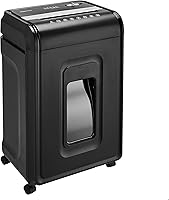
Is Fellowes a Good Shredder Brand?
Yes, Fellowes is a good shredder brand to consider if you want home and office options with different cut types, capacities, run times, and safety features. Choose by your usual batch size and work habits.
On this page (8 sections)
- Is Fellowes a good shredder brand for home and office use?
- Which Fellowes shredder fits your workload?
- How should you choose between Fellowes cross-cut and micro-cut?
- What should you check before buying a Fellowes shredder?
- How do you set up and care for a Fellowes shredder?
- What common mistakes should you avoid?
- Is Fellowes a good shredder brand for you?
- Related Fellowes shredder guides
Yes, Fellowes is a good shredder brand to consider if you want choices for home offices or larger workspaces. The models here range from a personal cross-cut shredder to a longer-running micro-cut machine, so the right fit depends on your workload, privacy needs, and available space.
Start by estimating how many pages you shred at a time and how often you do it. Then compare cut type, run time, bin size, accepted materials, and safety features rather than choosing by brand name alone.
Is Fellowes a good shredder brand for home and office use?
Yes, Fellowes is a useful brand to shortlist when you need a choice of home and office shredders with different workloads and controls. These four examples include cross-cut and micro-cut models, safety locks or sensors, and run times from 10 to 30 minutes.
All four have a P-4 security level. That gives you a common baseline for comparing these picks, but it doesn't mean they have the same cut type, capacity, bin, or operating features.
If you're still deciding which cut type and capacity make sense, begin with this paper shredder buying guide. It can help you narrow the requirements before comparing particular Fellowes models.
Which Fellowes shredder fits your workload?
The best Fellowes model for you depends on whether you shred occasional papers, routine household batches, or shared office documents. Compare continuous run time and bin size along with sheets per pass, since a higher pass capacity alone won't tell you how long a session can last.
The 14C10 suits personal deskside use when you want a 14-sheet cross-cut shredder with a safety lock and pull-out bin. Its continuous run time is up to 10 minutes before cooling is needed, which favors shorter jobs over long, frequent batches.
The 12-sheet cross-cut model is another personal option, with a continuous run time of up to 20 minutes before cooling is needed. It makes sense if that longer session window matters more to you than the 14C10's higher sheet capacity.
For shared office work or larger batches, compare the 99Ci and LX220. Both can run for up to 30 minutes before cooling is needed, but they differ in cut type, sheet capacity, bin size, and safety controls.
The 99Ci is a practical choice when a larger bin and cross-cut format suit your office routine. It also shreds staples, credit cards, paper clips, CDs/DVDs, and junk mail, and has an LED bin-full indicator.
The LX220 is the choice here for buyers who prefer micro-cut particles. It also has an efficiency meter and Jam Proof System, and can shred staples, paper clips, and credit cards.
How should you choose between Fellowes cross-cut and micro-cut?
Choose the LX220 if you prefer smaller micro-cut particles; choose one of the cross-cut models if its capacity, run time, and other features better match your work. The LX220 is P-4 micro-cut, while the 14C10, 99Ci, and 12-sheet model are P-4 cross-cut.
The LX220's micro-cut particles measure 5/32 x 1/2 in. The cross-cut examples make particles around 5/32 in wide and 1-1/2 to 1-9/16 in long.
Don't treat cut type as a substitute for checking the full specification. If you have a specific document disposal requirement, confirm what security level is suitable for it and compare the model's stated rating.
For more detail on the difference in particle shape and size, see micro-cut vs cross-cut shredders. If you want a head-to-head look at two Fellowes cross-cut options, read Fellowes 99Ci vs 79Ci.
What should you check before buying a Fellowes shredder?
Check your routine first: how many sheets you handle in a session, what materials you plan to shred, how often you'll empty the bin, and whether the machine will sit near other people. Those answers make capacity, run time, bin size, and safety controls easier to compare.
- For occasional home paperwork: The 14C10 or 12-sheet model may fit a deskside routine. Compare their 10-minute and 20-minute run times.
- For shared workspaces: The 99Ci has SafeSense and a 9-gallon bin; the LX220 also has SafeSense and an 8-gallon bin.
- For smaller particles: Choose the LX220's micro-cut format if that is your priority.
- For non-paper items: Check the exact model's accepted materials and feeding directions before you shred cards, clips, staples, discs, or junk mail.
- For less frequent emptying: A larger bin can help, though you still need to watch for a full-bin indicator or empty it as the manual directs.
These checks can keep you from buying too much machine for a light workload or too little run time for repeated batches. For broader brand comparisons, see Aurora vs Fellowes paper shredders.
How do you set up and care for a Fellowes shredder?
Set up a Fellowes shredder on a stable, accessible surface, with room to remove its bin and reach the controls. Read the model's manual before use so you know its sheet limit, accepted materials, operating mode, and required cooling period.
Feed paper in small, even batches within the stated sheet capacity. Don't force a thick or uneven stack into the opening, and pause if the shredder reaches its run-time limit; give it the required cool-down before restarting.
Empty the bin before compressed shreds reach the cutter area or interfere with normal operation. Keep the opening clear of loose paper, and disconnect the machine before cleaning or removing jammed material if the manual directs you to do so.
Use only shredder oil or other care products approved by the manual. Routine care helps keep paper moving through the cutters, while following the model's instructions protects the machine and helps avoid preventable jams.
What common mistakes should you avoid?
The most common mistake is treating the per-pass sheet capacity as a measure of total daily workload. A shredder also needs cooling breaks, and a full bin or wrong material can interrupt a session.
Don't assume that a safety lock and a safety sensor work the same way. The 14C10 and 12-sheet model use a Safety Lock to disable the machine when needed; the 99Ci and LX220 have SafeSense features that stop shredding when hands touch the opening.
Also avoid feeding materials based only on what another Fellowes model accepts. The 14C10 and 12-sheet model list paper, cards, clips, staples, and unopened junk mail; the 99Ci additionally accepts CDs/DVDs, while the LX220's listed materials include paper, clips, staples, and credit cards.
Is Fellowes a good shredder brand for you?
Yes, Fellowes is a good brand to shortlist if one of its models matches your workload and preferred cut type. Choose the 14C10 for 14-sheet passes and shorter personal sessions, or the 12-sheet model if its longer run time better suits your routine.
Pick the 99Ci for a larger cross-cut bin and shared batches, or the LX220 if micro-cut particles and its 20-sheet capacity fit your priorities. Compare more models in our Fellowes paper shredder guide.
Related Fellowes shredder guides
Use these guides to compare Fellowes models and decide which features matter for your space and workload.
- Best Fellowes paper shredders
- Fellowes 99Ci review
- Fellowes LX220 review
- Amazon Basics vs Fellowes shredders
Frequently asked questions
Is Fellowes a good shredder brand?
Yes, Fellowes is worth considering for home and office use, with cross-cut and micro-cut models, safety sensors or locks, and different run times. Choose a model based on your workload and the features you need.
Compare sheet capacity and continuous run time before you decide.
Are Fellowes shredders good for home use?
Some Fellowes models are designed for personal or home office use. The 14C10 is a deskside option, while the 12-sheet cross-cut model has a safety lock and a 5-gallon bin.
Match the model's capacity and run time to how often you shred.
Is a Fellowes cross-cut or micro-cut shredder better?
Choose micro-cut if you want smaller paper particles, then compare the model's other features. The 14C10 and 99Ci are cross-cut models, while the LX220 is micro-cut; all three have a P-4 security level.
Compare bin size, run time, and sheet capacity as well as cut type.
What should I check before buying a Fellowes shredder?
Check cut type, sheet capacity, continuous run time, bin size, accepted materials, and safety features. These differ across Fellowes models.
If you shred in batches, compare run time and cooling needs.
For shared spaces, learn how the safety lock or sensor works before use.