Aurora AU120MA Shredder Review: Worth It? (November 2026)
The Aurora AU120MA is a strong pick for clearing a backlog of home paperwork, because its 120-sheet auto-feed handles a stack while its P-4 micro-cut turns paper and cards into tiny pieces. Buy it if you have a pile to get through; choose a manual shredder if you only feed a few sheets at a time.
On this page (8 sections)
The Aurora AU120MA is worth buying if you have a stack of household paperwork to destroy, not just a single bill now and then. Its 120-sheet auto-feed, P-4 micro-cut and 30-minute run time are set up for volume.
The main cost of that convenience is a 24.3 lb machine that needs a permanent spot.
This aurora au120ma review walks through what the specs mean in daily use, how to set it up, what to keep in mind for care, and when one of the alternatives below fits your desk better.
The Aurora AU120MA at a glance
The AU120MA is an auto-feed micro-cut shredder for home document clearing. You load a stack in the tray and let it work, or use the manual slot for small jobs.
It's a machine for people with a backlog, not a light-use desktop tool.
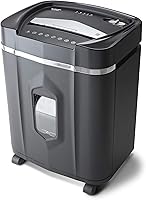
Aurora AU120MA 120-Sheet Auto-Feed Shredder: Best for backlog paperwork

- 120-sheet auto-feed
- 10-sheet manual feed
- P-4 micro-cut, 5/32 by 15/32 inches
- 30-minute continuous run time
- 5-gallon pullout bin
A 120-sheet auto-feed with a P-4 micro-cut and a 30-minute run time, built for working through a stack of household documents rather than one envelope at a time.
Pros
- Auto-feed takes a 120-sheet stack
- P-4 micro-cut destroys paper and credit cards
- 30 minutes of continuous running
- 5-gallon pullout bin holds more before emptying
- Jam prevention auto reverse and overload protection
Cons
- 24.3 lb is heavy to move
- Manual feed tops out at 10 sheets
- Needs a footprint of about 14.41 by 11.3 inches
The design assumes you'll dedicate a corner to it. With a footprint of 14.41 inches wide by 11.3 inches deep and a height of 19.69 inches, it's closer to a small filing cabinet than a desk accessory.
Plan for that space before you order.
Its score of 8 reflects a clear strength (auto-feed capacity and a secure cut) balanced against its weight and the 10-sheet manual limit. For the typical home user with a few years of bank statements to destroy, that trade leans the right way.
The model number and part number both read AU120MA, so the same unit is easy to find whichever way a listing names it.
Who the Aurora AU120MA suits
Buy it if you clear paperwork in batches, such as tax time, moving house or emptying an old filing cabinet. The auto-feed lets you load 120 sheets and step away while it works, which is the whole point of the machine.
The manual slot stays there for the odd envelope you want to deal with without touching the tray.
It also fits a household that wants a secure cut. The P-4 micro-cut reduces documents to pieces 5/32 by 15/32 inches, so the output is far harder to reassemble than strip-cut waste.
That matters for statements, medical letters and anything with an account number on it. The same cut handles credit cards, which covers the cards that expire in a kitchen drawer.
Skip it if your shredding is a few sheets a week. The manual feed tops out at 10 sheets, and a 24.3 lb unit is more machine than a light user needs.
A smaller manual shredder takes up less room and does the same basic job.
Skip it too if you move your shredder between rooms. Lifting 24.3 lb regularly gets old, so this one wants a fixed home.
The corded power source adds to that: wherever the outlet is, the machine tends to stay.
The specs that matter in daily use
The auto-feed capacity is the feature you'll feel every day. A 120-sheet tray means fewer trips to load paper and more time spent on something else.
The manual slot's 10-sheet limit is fine for an envelope or two but not for a stack. Both feeds share the same cutters, so the machine's real strength shows when you load the tray and walk away.
The P-4 micro-cut is the security side of the same coin. Smaller pieces mean less risk if the bag ends up somewhere it shouldn't.
Aurora lists both paper and credit cards as accepted items, so the occasional expired card can go in too. At 5/32 by 15/32 inches, the pieces are small enough that sorting them back into a document is not a realistic worry.
The 30-minute continuous run time sets the pace of a big session. That's long enough to work through a large backlog in one go.
Once you hit the limit, the machine needs to cool before another long run, so don't plan on shredding for an hour straight. Plan the session instead: sort the stack, feed it, then stop when the overheat light shows.
The 5-gallon pullout bin reduces emptying trips. An LED indicator shows when it's full, so you can empty it before packed pieces back up into the cutters.
The same light panel shows standby, overheat, overload, feed error and door open status, which helps you work out why the machine has stopped. A feed error light, for instance, points at the tray rather than the motor.
Aurora also builds in automatic start and stop, jam prevention auto reverse and overload protection. Those are the features that keep an auto-feed machine moving without you babysitting it.
The maker describes the operation as ultra-quiet, and for a home office that matters more than it sounds, since a loud shredder discourages you from using it.
Setting up the Aurora AU120MA
Unbox it and give the unit a permanent spot near an outlet before you feed anything. It's corded electric, so the outlet decides where it lives as much as your desk layout does.
The 24.3 lb weight means you want to get that spot right the first time.
Check the footprint against your space first. At 14.41 inches wide by 11.3 inches deep and 19.69 inches tall, it needs room to sit flat with the bin able to pull out freely.
Leave space in front of the bin so you can empty it without moving the machine.
The bin is a pullout design, so make sure the door closes properly. A door-open status light is part of the LED panel, which tells you the machine won't run until it's seated.
That's a useful clue if the shredder seems dead after emptying. Slide it home until it clicks rather than forcing it.
Plug it in and check that the standby light shows. Then run a small test batch through the manual slot before you load the full auto-feed tray.
That confirms the machine is working before you trust it with a 120-sheet stack of documents.
Keep the manual somewhere you can find it. The one-year warranty is worth registering, and the manual covers the run-time and cooling guidance for longer sessions.
If you're choosing between models before you buy, the Best Aurora Paper Shredders guide covers the wider Aurora range and what each model is built for.
Care and upkeep for the AU120MA
Empty the bin when the full light comes on, not when the shredder starts to struggle. Packed micro-cut waste pushes back into the cutters and raises the odds of a jam.
Pull the bin out, tip it into a bag and slide it back until the door is fully seated.
Keep staples and hard metal out of the feed. Aurora lists paper and credit cards as accepted items; other materials are not named.
A quick check of each stack saves a jam and a repair. If the auto-reverse kicks in, clear the feed before adding more paper.
Respect the 30-minute run time. The overload and overheat lights exist for a reason, so if one comes on, let the machine cool rather than forcing another session.
Working within the limit keeps the motor healthy.
Wipe the outside with a dry or slightly damp cloth. Keep liquids away from the feed opening.
A cover or a spot away from dusty surfaces helps too, since dust settles into the cutters over time.
Empty the bin before you store the machine for a long stretch. Leaving cut paper inside for months can compact it and make the next start-up harder.
Emptying it also means you find any stray staples before they meet the cutters.
The trade-offs of the Aurora AU120MA
The first trade-off is weight. At 24.3 lb, this is not a shredder you tuck into a cupboard and pull out when needed.
It wants a dedicated spot, and moving it takes two hands and a bit of care. The height of 19.69 inches also means it won't slide under most desks.
The second is the manual feed limit. Ten sheets is fine for small jobs, but if you often need to shred 20 or 30 sheets quickly without loading the tray, the auto-feed is doing the work anyway.
The manual slot is a convenience, not a second high-capacity feed. The 120-sheet tray is the feed that earns its place.
The third is footprint. At 14.41 inches wide and 11.3 inches deep, it takes real desk or floor space.
A compact manual shredder fits in a fraction of that, though it won't clear a backlog as quickly. The trade is space for time saved.
The 30-minute run time is generous for home use but not unlimited. If you shred for a living or share the machine with a busy office, you'll hit the cooling break during long sessions.
For a household clearing a filing cabinet, it's plenty. The five-gallon bin is similarly sized for home rather than office work.
Finally, the bin needs emptying during a big clear-out. Expect to empty it a couple of times when working through several years of statements.
The full light makes that predictable rather than a surprise.
None of these are deal-breakers for the buyer this machine targets. They're the costs of the auto-feed convenience, and they're worth knowing before you clear space for it.
Alternatives worth a look
If the AU120MA isn't quite right, two nearby options cover different needs. One steps up to a different cut and form factor, and the other is a smaller Aurora for lighter loads.
For a broader comparison, the Best Fellowes Paper Shredders guide shows how another major brand lines up.
Aurora AU1210MA micro-cut shredder
The Aurora AU1210MA is the model to consider if you want an auto-feed micro-cut shredder from the same brand. Compare its tray capacity, run time and footprint against the AU120MA before you order, since the two models sit close together on specs.
Compare its tray capacity, run time and footprint against the AU120MA before you order, since the two models sit close together on specs.
If your paperwork arrives in small batches and you want the machine close at hand, a manual micro-cut model takes less space and is easier to move. Our full Aurora AU1210MA review covers its capacity and cut in detail.
Compare the bin size too, since a smaller bin means more emptying trips.
Aurora AU120MB shredder
The Aurora AU120MB is the other Aurora to weigh up if the AU120MA's footprint or weight is more than you want. It's worth comparing the two side by side on capacity and bin size before you commit.
The model name is close, so check the listing carefully so you get the one you meant to order.
The Aurora AU120MB shredder review sets out what that model offers so you can judge which one matches your desk and your paperwork volume. If both models clear a stack the same way, let the footprint and the bin size decide.
Verdict: should you buy the Aurora AU120MA?
Buy the Aurora AU120MA if you have a backlog of household paperwork and a permanent spot for a 24.3 lb machine. The 120-sheet auto-feed, P-4 micro-cut and 30-minute run time make short work of statements, bills and old files.
The one-year warranty adds a bit of cover on top.
For the buyer with a filing cabinet to empty, the features line up with the job.
Skip it if you only shred a few sheets a week or need to move the machine between rooms. A smaller manual shredder costs less and takes up less space, and the AU120MA's strengths would go unused.
The same goes if a 14.41 by 11.3 inch footprint won't fit your desk.
The decision rule is simple: pick the AU120MA when volume and security matter more than portability. Pick a manual micro-cut model when your paperwork arrives in small batches.
Either way, this aurora au120ma review should leave you clear on which side of that line you sit.
Frequently asked questions
How many sheets can the Aurora AU120MA shred at once?
It takes up to 120 sheets in the auto-feed tray and up to 10 sheets in the manual feed slot. Use the auto-feed for a stack and the manual slot when you want to shred a short batch without loading the tray.
What security level is the Aurora AU120MA?
It is P-4 micro-cut, cutting paper and credit cards into pieces 5/32 by 15/32 inches. That small cut size makes the output hard to piece back together, which suits bank statements, bills and other personal documents.
How long can the Aurora AU120MA run without stopping?
It runs continuously for up to 30 minutes. That is long enough to work through a large backlog in one sitting, though the unit needs to cool once the run time is used up before you start another long session.
Does the Aurora AU120MA shred credit cards?
Yes. Aurora lists credit cards among the items it micro-cuts, along with paper.
Keep staples and other hard metal out of the feed, since those are not named as accepted items.
How often do you empty the Aurora AU120MA bin?
The bin holds 5 gallons and pulls out for emptying. An LED indicator shows when it is full, so you can empty it before the cut pieces back up into the cutters.