How to Unjam a Paper Shredder at Home
To unjam a paper shredder at home, stop shredding and unplug the machine, then press reverse and let it push the sheet back out. If that fails, remove the loose paper and free the cutters by hand only after the power is off.
On this page (8 sections)
- What are the first safe steps when paper jams a shredder?
- Should you try the reverse button before anything else?
- How do you clear a jam when reverse does nothing?
- Why do shredders jam so often in a home office?
- Can oil or lubricating sheets prevent future jams?
- How do you tell a jam apart from an overheated shredder?
- What routine keeps a home shredder jam-free?
- When is a jam a sign the shredder is finished?
To unjam a paper shredder at home, stop at once, unplug the machine, and use the reverse button to walk the stuck sheet back out. If reverse does nothing, take the paper out of the slot by hand with the power off.
The fix is usually quick. The damage comes from rushing: pulling paper hard, poking metal into the cutters, or running the motor until it overheats.
What are the first safe steps when paper jams a shredder?
Switch the shredder off and unplug it before you touch anything. That one step removes the two main risks: cutters that spin when a button is pressed and a motor that stays hot.
Do these steps in order:
- Stop feeding paper and press reverse first, if the shredder allows it while running.
- If the sheet does not move, switch off and pull the plug.
- Look into the slot from the top only and lift out loose, easy pieces.
- Never reach into the cutter area while the shredder is plugged in.
Keep the shredder on a dry surface away from a sink or a full drink. Water plus paper dust makes a slippery, messy jam that is harder to clear.
If the jam came with a power cut, treat the machine as live until the cord is out of the wall. An anti-jam model like the Aurora AU1260XA may have already tried to reverse the sheet on its own before you got to it.
Check the bin and the slot before you press anything, so you know what state the machine is in.
Should you try the reverse button before anything else?
Yes. Reverse is the first tool to try, and it clears most light household jams.
Press it in short bursts and watch whether the paper moves.
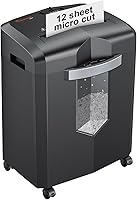
On a cross-cut machine like the Aurora AU1260XA, the anti-jam auto-reverse feature handles a light overload on its own. That model also has a 12-sheet capacity and a 4-gallon pullout bin, so a jam often means the bin is full or the sheet count went over the limit.
If the shredder reverses, stop, pull the freed sheet clear, and let the machine rest. Don't keep feeding paper into a throat that is still partly blocked.
On a basic machine with no reverse, skip straight to unplugging and taking out the loose paper.
How many reverse bursts should you try?
Two or three short presses are enough. Each burst should last a second or two, then stop and listen.
A long hold heats the motor without freeing the sheet. If the paper does not move after a few bursts, stop and unplug.
Repeating the button while the machine strains is how motors and gears get hurt.
How do you clear a jam when reverse does nothing?
Unplug, then free the paper by hand from the top of the slot. Remove what comes loose easily and stop before you start forcing anything.
Work in this order:
- Pull the loose tail of paper upward, straight out, not sideways.
- Open the bin and empty it, because a full bin backs paper up into the cutters.
- Look for a folded sheet or a staple wedged at the mouth.
- Turn the cutters by hand only with the plug out and only if your manual says the cutters can be turned.
If the sheet is gripped tight, tear off the loose part, leave the rest, and plug the machine back in for a short reverse burst. Repeat once or twice at most.
Stop when you're pressing hard, because force bends the cutting teeth.
On the Aurora unit the bin pulls out and the throat is 8.7 inches wide, so you can see the whole feed opening from above once the top is clear. Look for the jam in the visible mouth before you assume it is deep in the cutters.
A thin sheet that went in folded is often sitting right at the edge.
Why do shredders jam so often in a home office?
Most jams come from feeding too much paper, not from a broken shredder. Home office paper is often folded, stamped, or damp from a printer, and each of those loads the cutters more than a clean sheet.
The main causes:
- Shredding over the sheet limit in one pass, even briefly.
- Feeding folded sheets, envelopes, or labels that bunch up.
- Damp or crumpled paper that clings to the cutters.
- A full bin that lets shredded paper pack back into the throat.
- Dry, dusty cutters that grab instead of slicing.
A home machine runs in short bursts, not all day. The Aurora unit runs for 6 minutes continuously before it needs a rest, so a long session of bank statements needs a few pauses.
If you're still choosing a machine, this guide to a paper shredder for home office covers capacity and run time.
The cut style matters too. A cross-cut machine like the Aurora chops paper into small pieces that pack into the bin faster than long strips, so its bin fills sooner than you expect.
A full bin is one of the easiest jams to prevent and one of the easiest to miss.
Can oil or lubricating sheets prevent future jams?
Yes. Regular lubrication keeps the cutters moving cleanly and is the single best jam prevention for a cross-cut shredder.
Dry cutters grab paper; oiled ones slice it.
The Amazon Basics pack holds 24 lubricated sheets. You feed one straight into the paper slot, and it shreds like normal paper while it coats the blades with vegetable oil.
There are no bottles or drips, so your hands stay clean. The sheets are 8.4 by 6.0 inches and are made with vegetable oil and recycled paper, and the brand lists them as compatible with all shredders.
The Fellowes Powershred oil is the alternative for anyone who prefers a bottle. It has a 16-ounce squeeze bottle with an extension nozzle for reaching across the cutters, and Fellowes suggests oiling each time you empty the bin or at least twice a month.
The bottle is meant for cross-cut and micro-cut machines, so it suits a home unit like the Aurora.
Either method works. Pick sheets for simplicity, or the bottle if you also want to lubricate a larger machine on a schedule.
One sheet per bin-empty is a good pace, and the 24-pack covers a long stretch of home use before you need more.
Which method suits which shredder?
Use lubricating sheets when you want zero mess and a fixed dose. One sheet is one dose, so it is hard to over-oil a small home machine.
Use the oil bottle when you want to see where the oil goes. The nozzle lets you run a line across the full width of the cutters on a wide throat like the Aurora's 8.7 inches.
Either way, feed a few sheets of plain paper afterward so the oil spreads and does not sit in one spot.
How do you tell a jam apart from an overheated shredder?
A jam keeps the motor struggling right after you feed paper. An overheat stops the motor after a long run, often with no new sheet in the slot.
The two problems look alike and need different fixes.
If the machine stopped after minutes of steady work, it is likely the thermal cutout. Unplug it, let it cool for the time your manual gives, then try again with fewer sheets.
Don't sit and press buttons while it cools.
If the motor strains the moment paper enters, it is a jam. The bin also matters here: the Aurora unit shows bin-full and overheat status with LED lights, so check those before assuming the cutters are blocked.
The same panel has standby, overload, and door-open lights, and any of them can explain why the machine will not run.
Never keep restarting a machine that trips on overheat. That is the sign to slow down, not to try harder.
What routine keeps a home shredder jam-free?
Shred fewer sheets than the limit, keep paper flat and dry, empty the bin early, and lubricate on a schedule. Those four habits stop most jams before they start.
A simple routine:
- Count sheets rather than guessing, and go a few under the stated maximum.
- Keep staples and paper clips out unless your model accepts them.
- Feed paper flat, one bundle at a time, with no folds.
- Empty the bin when it is about three-quarters full.
- Run a lubricating sheet or a short oil pass every time you empty the bin.
The Aurora's stated limit is 12 sheets, and its bin holds 4 gallons. If your household shreds a lot of mail, empty at the three-quarter mark so the shredded pieces never reach back up toward the cutters.
On a cross-cut model the pieces are small and pile up faster than strip-cut waste, so a smaller load per pass is the safer habit.
A cleaner machine also jams less. Paper dust and static buildup are worth clearing regularly, and our step-by-step guide on how to clean a paper shredder covers the safe way to do it.
When the cutters feel dull and tear more than cut, see how to sharpen a paper shredder before you assume it needs replacing.
When is a jam a sign the shredder is finished?
If the cutters will not turn by hand with the power off, or the motor hums and does nothing, stop forcing it. A bent spindle or a stripped gear will not clear with reverse.
Watch for repeated jams on single sheets, a burning smell, or a motor that trips the moment you switch it on. At that point the machine is not worth repairing for most homes.
A worn unit that still jams often is also a safety question, since a shredder that gives up mid-sheet leaves sensitive papers half cut. If you decide to replace it, plan the handover properly with our guide on how to dispose of a paper shredder.
For most readers, the answer to how to unjam a paper shredder at home is short: unplug, use reverse, free the loose paper, then lubricate and feed less next time. A few seconds of care saves the cutters.
Frequently asked questions
How do you unjam a paper shredder at home?
Stop feeding paper, unplug the shredder, then try reverse to back the sheet out. If the paper stays stuck, remove loose pieces from the throat and free the cutters by hand with the power off.
Is it safe to stick my hand into a shredder to pull paper out?
No. Unplug the shredder first, then reach in only after the cord is out.
The cutters are sharp and the motor can start on a button press, so cutting out a jam with power connected is never worth the risk.
Why does my shredder keep jamming?
Most household jams come from overfeeding, from paper that is folded or damp, and from cutters that are dry or dusty. Shred fewer sheets at once, keep paper flat and dry, and lubricate the cutters regularly.
Can I use oil or lubricating sheets to stop jams?
Yes. A lubricated sheet fed through the slot or a short oil application on cross-cut cutters keeps the blades moving freely and reduces paper dust.
The maker suggests oiling each time you empty the bin or at least twice a month.
What should I do if a jam will not clear?
Check that the bin is not full, let the motor cool, and try short reverse bursts instead of a long hold. If the cutters still will not turn with the power off, stop and contact the brand's support rather than forcing the mechanism.